Berg for operations teams
Keep requests moving and nothing forgotten
Requests arrive by email or straight into a project, automations route them, recurring tasks handle the routine, and reports show who is overloaded.
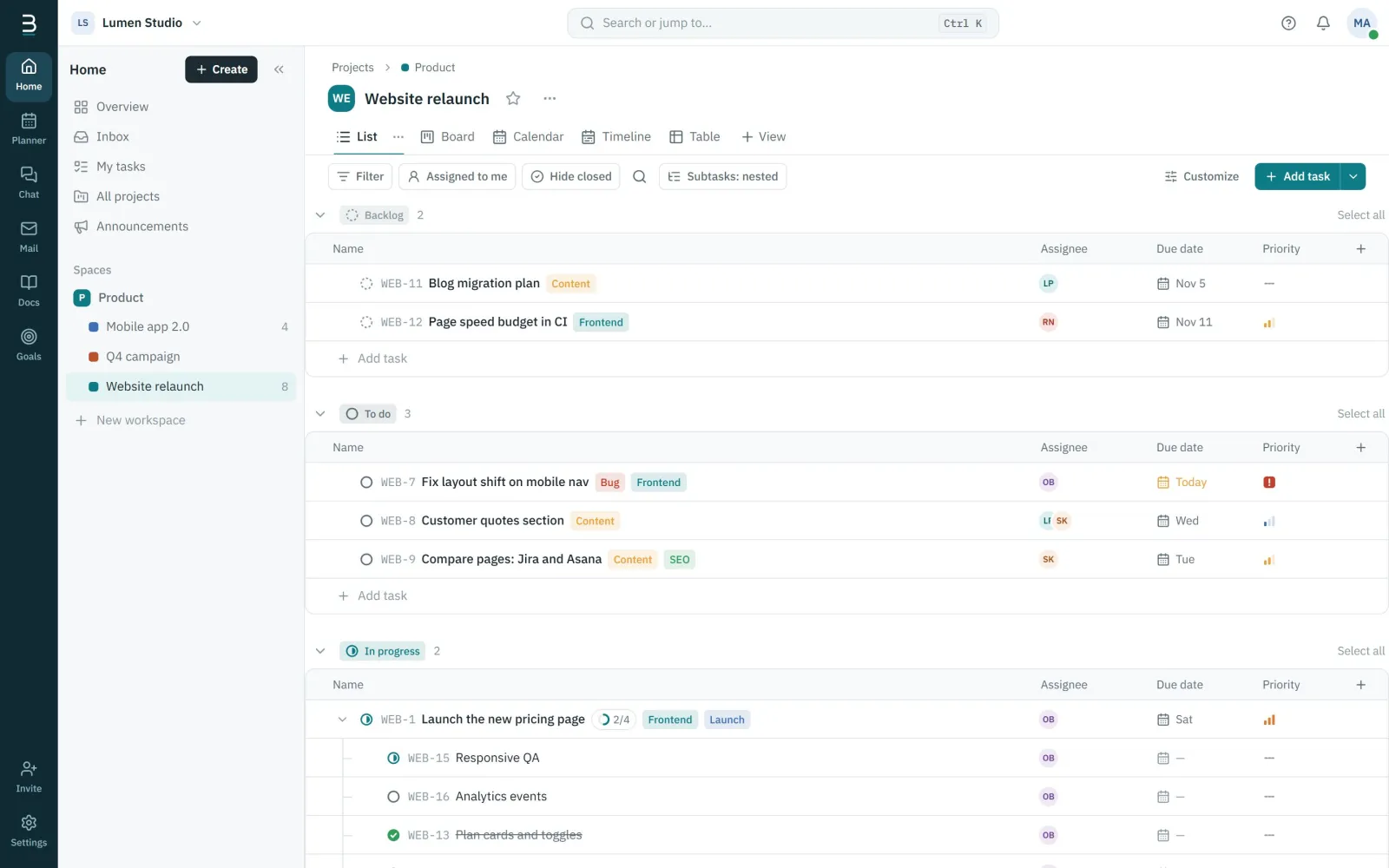
A clear queue of requests
Requested, approved, in progress, blocked and done, with owners, due dates and priorities at a glance.
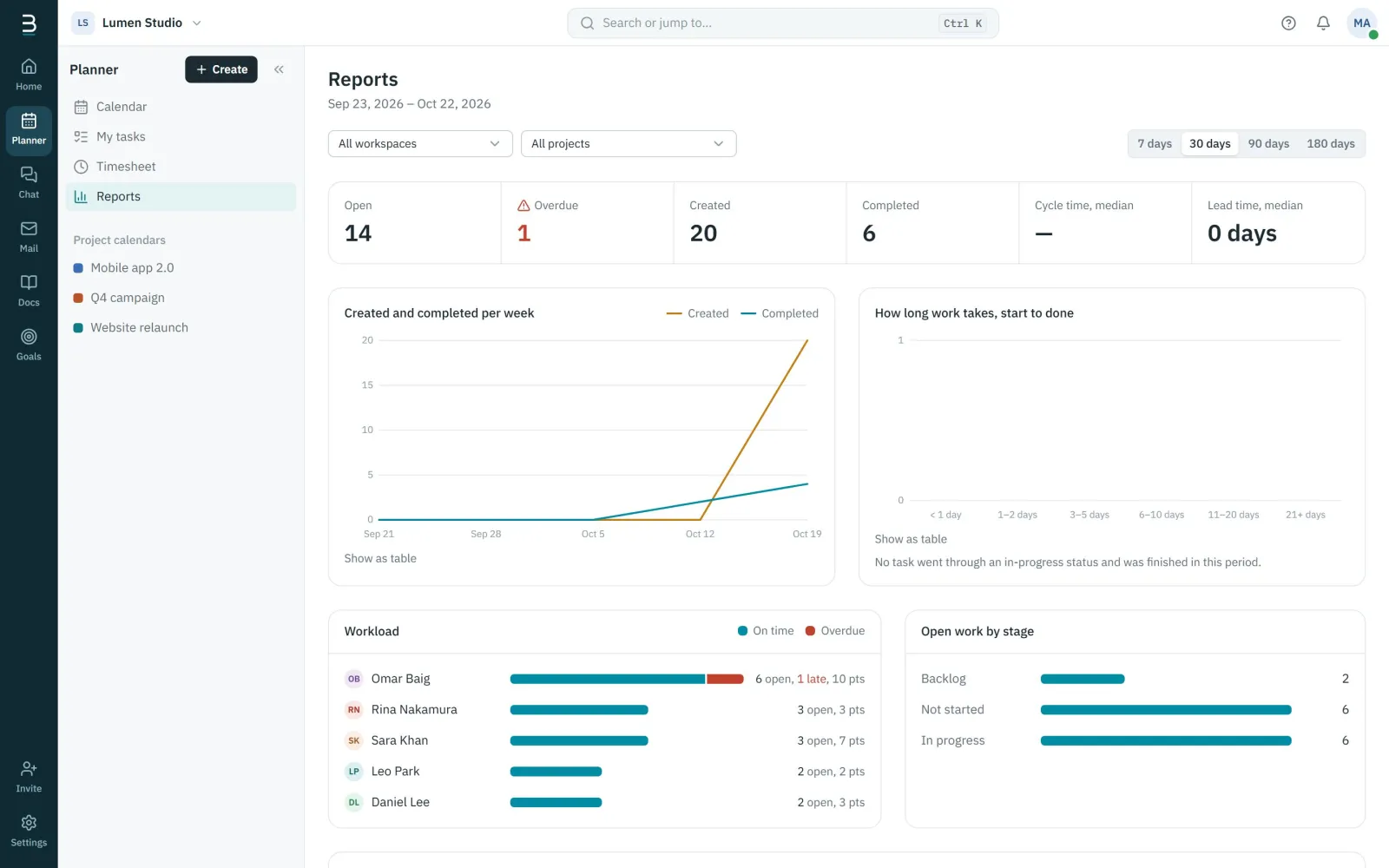
See the load before it breaks
Workload per person, overdue work and cycle time, across every project you can see.
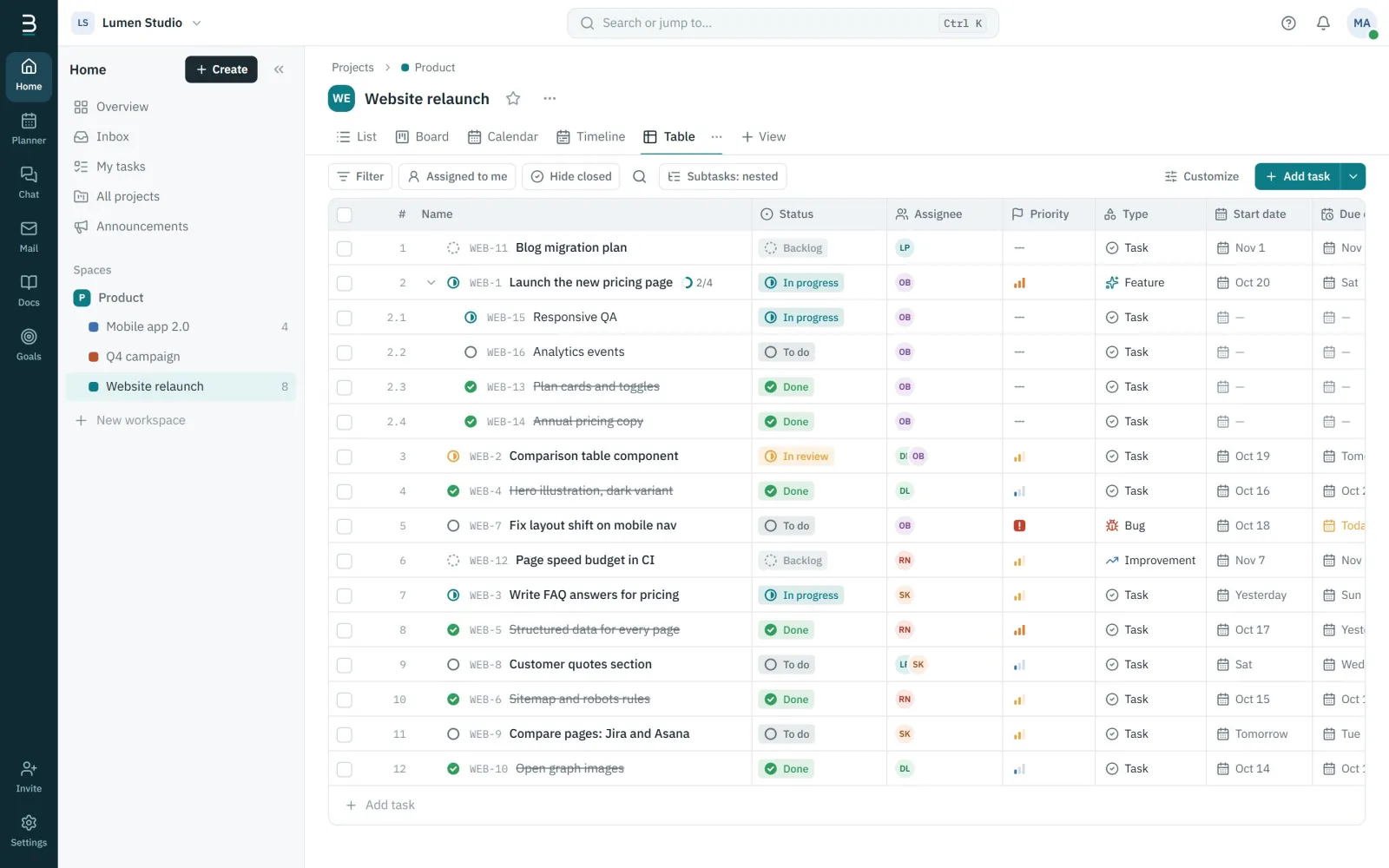
Every detail in one table
The table view shows every field as a column, including your custom fields, ready to sort, filter and export.
Start with the Requests & operations template
Intake, approval and fulfilment with a blocked lane. Opens in the list view.
- Requested
- Approved
- In progress
- Blocked
- Done
Berg for operations teams: questions
Can tasks repeat automatically?
Yes, daily, on weekdays, weekly on chosen days, monthly or yearly, either when the last one is completed or on its date.
Can requests come in by email?
Connect a company mailbox and turn any email into a task with one click.
Berg for other teams
Get your team into one workspace
Create your organization in a few minutes. Invite the team, start a project from a template and talk where the work is.
Free during early access. No credit card needed.